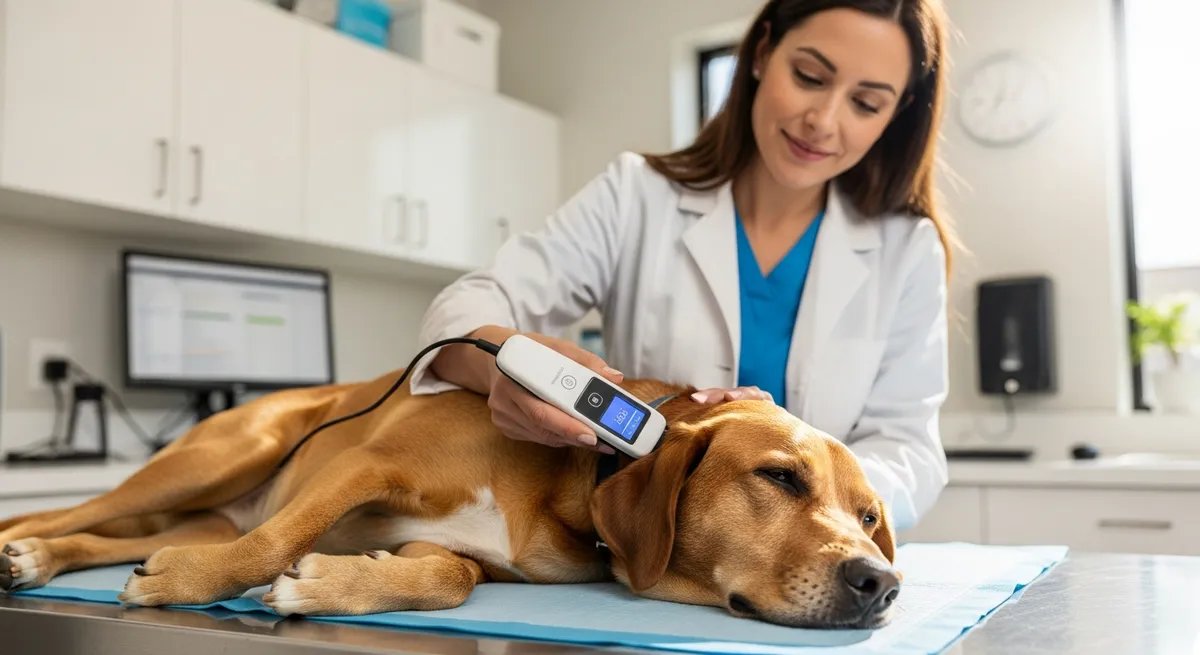
Here is a scenario that plays out at emergency vet clinics and out-of-town shelters every summer: a friendly dog turns up at a campground, a rest stop, or a stranger's porch two hundred miles from home. Someone scans him. A fifteen-digit number appears. And then the trail goes cold — because the registration attached to that number is a disconnected phone, an old apartment, or simply blank. The technology did its job perfectly. The follow-through did not.
If you are taking your pet anywhere this summer, the most important pre-trip task is not buying a new harness or booking the pet-friendly hotel. It is making sure your pet has a microchip — and, far more importantly, that the chip is registered to a phone number you actually answer. Here is exactly how chips work, what they do and do not do, and how to get yours travel-ready.
What a microchip actually is (and is not)
A pet microchip is a tiny passive transponder, about the size of a grain of rice, implanted under the skin between the shoulder blades by a vet or shelter. It has no battery and no power of its own. When a handheld scanner passes over it, the scanner's radio waves energize the chip just long enough for it to broadcast one thing: a unique identification number.
That is the whole job. A microchip is permanent ID, not a tracker. Specifically, a chip is NOT:
- A GPS device. It cannot show your pet's location on a map. It does nothing until a person with a scanner is holding it against your pet. If you want real-time location, that is a separate GPS collar tag — a different product entirely.
- A medical record. The chip stores a number, not your pet's vaccine history or allergies. This is one of the most common and dangerous misunderstandings — we unpack it fully in the biggest misconceptions about pet microchips.
- Automatically up to date. A chip never changes. The registry linking that number to you is what you must keep current.
Think of the microchip as a permanent license plate riveted to your pet. The plate never falls off the way a collar can — but it only helps if the "DMV" record behind it points to a real, reachable you.
Registration is the part that actually saves your pet
This cannot be overstated: an unregistered or stale microchip is close to useless. Studies of shelter scans consistently find that a large share of chipped strays cannot be reunited because the registry has bad contact information. The chip was there. The phone number was not.
So before you travel:
1. Confirm your pet is chipped. Ask your vet to scan at your next visit, or check your adoption paperwork. Shelters using PawMates Pro typically send adopters home already chipped and with the registration started.
2. Find out which registry holds the chip and log in (or call). You will need the chip number — it is on your paperwork or readable by any vet scanner.
3. Verify and update your contact info: current cell phone, a backup contact (a friend or family member who is not traveling with you), and your email. If you are road-tripping, a backup contact who is staying home is gold.
4. Add a visible ID tag too. A collar tag with your phone number is still the fastest reunion of all — a finder does not need a scanner or a vet, just a phone. Use both: tag for speed, chip for permanence.
How universal lookup ties it all together
You might worry: with many chip brands and registries, how does a shelter in another state find your specific record? That is what the AAHA Universal Pet Microchip Lookup Tool is for. A shelter or vet enters the scanned number, and the tool reports which registry the chip is enrolled with, so they know exactly where to find your contact info. The system is designed to work across brands and across the country — which is precisely why it is so valuable when your pet goes missing far from home. But it can only ever route a finder to the registry; the registry still has to contain your real information.
Why PawMates Pro and VetPetz make the chip far more powerful
Here is where the modern approach leaves the manila folder behind. In the old world, the chip pointed to a registry with a phone number, and your pet's actual medical history lived in a paper file at one clinic — useless to an emergency vet in another town.
When you adopt from a shelter running PawMates Pro, your pet's identity is anchored to a durable PawMates Pet ID. The microchip number is the lookup key — the doorbell — but it is the PawMates Pet ID that is the stable home for everything that matters. Crucially, that means the record survives changes that routinely break old systems: you switch phone carriers, the chip registry gets acquired, you move twice — the PawMates Pet ID still ties your pet to their history.
And that history is real. Through the PawMates and VetPetz bridge, your pet carries a lifetime medical record — vaccines, medications, allergies, behavioral notes — that travels with the animal and can be shared, with your consent, to whatever clinic is treating them. So when a dog is recovered on a holiday weekend far from his regular vet, the clinic is not starting from zero. This is the future the whole industry is moving toward, which we explore in the future of connected pet care. (New to all this? Start with why microchipping your pet is critical.)
Your pre-travel microchip checklist
- Chipped? Confirm with a scan or paperwork; chip your pet now if not.
- Registered? Log in to the registry and verify it is active.
- Contact info current? Cell, email, and an at-home backup contact.
- Visible tag on the collar? Name + your phone number, legible.
- Records ready to share? Confirm your PawMates Pet ID / lifetime record is up to date and you know how to grant access in an emergency.
- Proof of vaccination handy? Boarding facilities and some state or border crossings require it — see why updated pet records matter before you travel.
The bottom line
Summer travel multiplies the ways a pet can get separated from you — open car doors, unfamiliar campsites, fireworks at the lake house. A microchip is the backstop that works when the collar slips off and the GPS battery dies, but only if you do the unglamorous part: register it and keep it current. Spend twenty minutes before your trip confirming the chip, updating your phone number, and checking your tag. It is the cheapest insurance you will ever buy for the family member who cannot ask a stranger for directions home.
Frequently asked questions
Is a microchip a GPS tracker?
No. A microchip is a passive ID tag that only transmits a number when scanned by a handheld reader — it has no battery and cannot show your pet's location. For live tracking you need a separate GPS collar device.
Does the microchip store my pet's medical records?
No. The chip stores only an ID number. With PawMates Pro and VetPetz, that number points to a durable PawMates Pet ID, which is what links to your pet's lifetime medical record — the chip itself holds nothing but the number.
How do I update my microchip registration?
Find which registry holds your chip (your vet can scan and the AAHA Universal Lookup Tool will tell you which registry it is enrolled with), log in or call, and update your phone, email, and backup contact. Do this before every trip.
Will a chip from one brand work if my pet is found in another state?
Yes — the AAHA Universal Pet Microchip Lookup Tool helps any shelter or vet identify which registry a scanned chip belongs to, regardless of brand, so they can reach you. The catch is that your registration must contain current contact information.
Do I still need an ID tag if my pet is chipped?
Yes. A collar tag is the fastest reunion because a finder can call you directly without a scanner. Use the tag for speed and the chip for permanence — they back each other up.
Related reading
- Why more pets go missing during summer — the seasonal risks and your first-24-hours plan.
- The biggest misconceptions about pet microchips — what the chip really does.
- Why updated pet records matter before you travel — the records side of trip prep.
For more adoption and pet-care guides, browse the PawMates adopter blog.