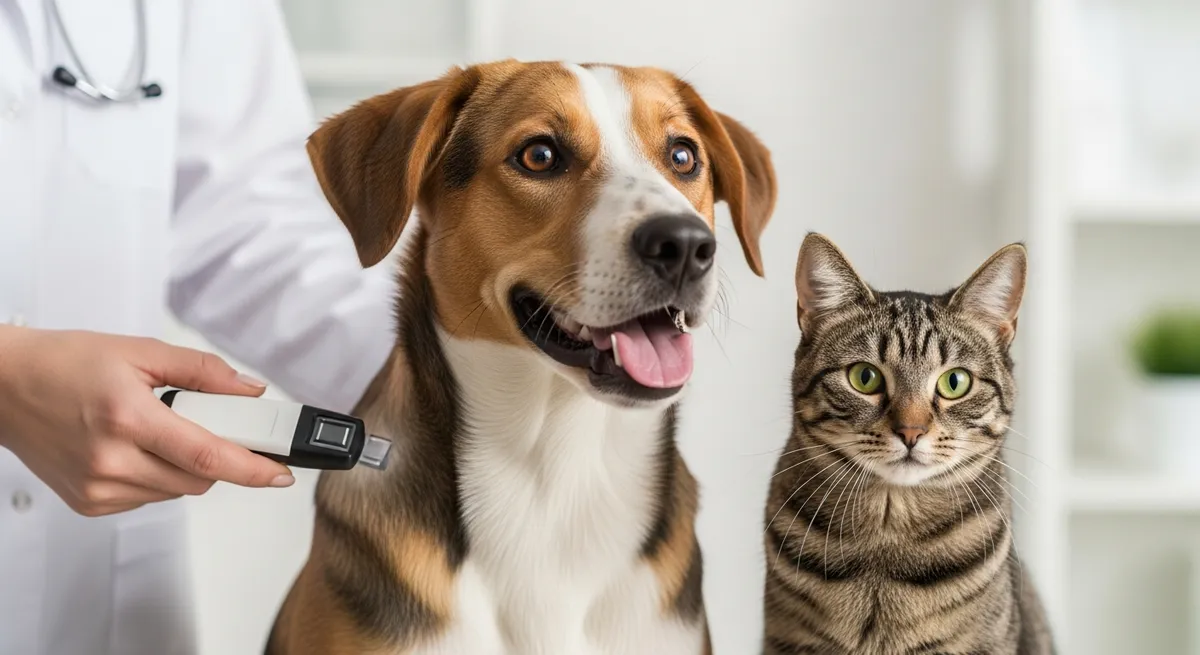
Your pet has a microchip. You watched the shelter scan it the day you took them home. You signed something. You assumed you were done. You weren't.
A microchip is only useful if the contact information attached to it is current. And the uncomfortable truth is that the majority of microchipped pets that end up back in shelters are scanned successfully — but the phone number on file is disconnected, the email bounces, and the address belongs to someone who moved out three years ago. The chip works. The registration doesn't. And a pet that should have been home in an hour ends up sitting in a kennel for days, weeks, or never going home at all.
This guide walks you through exactly what a microchip is, how to find your pet's chip number, how to update the registration (it's free, takes 10 minutes, and most owners have never done it), what happens if you skip this step, and what to do if your pet doesn't have a chip yet. If you adopted from a shelter or rescue, this is the single most important post-adoption task on your list. (For everything else that should be on that list, see The First 7 Days After Adopting a Pet: What to Expect.)
What a Microchip Actually Is — And What It Isn't
A microchip is a tiny passive radio-frequency identification (RFID) chip about the size of a grain of rice that a vet or shelter implants under the loose skin between your pet's shoulder blades. It has no battery, no GPS, and no tracking ability. It does exactly one thing: when a universal scanner is passed over it, it transmits a unique 9-, 10-, or 15-digit number.
That number is the key. It points to a registry — a database — where your contact information is stored. When a shelter, vet, or animal control officer scans a lost pet, they get the number, look it up in the registry, and call you.
Critical distinctions most adopters get wrong:
- A microchip is not a GPS tracker. It cannot show you where your pet is. It only works once someone with a scanner has the pet in front of them.
- The chip itself doesn't store your contact info. Your information lives in a separate registry database. If the registry doesn't have your current info, the chip is useless.
- Implanting the chip is not the same as registering it. This is the single most common point of failure. Many adopters assume the shelter "took care of it." Some shelters do enroll the chip under the new owner; many register it under the shelter's name and leave the transfer to you.
- Chips don't expire, but registries change. Companies merge, get acquired, or shut down. The registry your chip was originally enrolled with may not be the one searched first today.
Why Updating the Chip Matters More Than You Think
The American Veterinary Medical Association studied 7,700 stray animals at shelters. Microchipped dogs were returned to their owners 52.2% of the time. Non-microchipped dogs? 21.9%. Microchipped cats were returned 38.5% of the time, compared to 1.8% for non-chipped cats.
But here's the part that gets buried: of the microchipped pets that *weren't* returned to their owners, the overwhelming reason was incorrect or disconnected registry information. The chip worked. The phone number didn't.
What this means in practice:
- Your pet escapes the yard during a thunderstorm. A neighbor finds them and brings them to the local shelter. The shelter scans the chip, calls the number on file, and reaches a stranger who's had that number for two years. Your pet is now logged as "owner unreachable" and enters the standard stray hold process.
- After the hold expires (typically 3–7 days, depending on jurisdiction), the pet becomes shelter property. They may be put up for adoption, transferred to a rescue, or in overcrowded shelters, euthanized — even though they have a chip.
- You, meanwhile, are putting up flyers and crying at the kitchen table, never thinking to call the shelter ten minutes from your house, because you assumed the chip would handle it.
This isn't a hypothetical. It's the most common preventable tragedy in animal sheltering.
How to Find Your Pet's Microchip Number
You need the chip number to update or transfer the registration. Here's where to look, in order of fastest:
1. Check your adoption paperwork. Most shelters print the chip number on the adoption contract or include a separate microchip enrollment form. Look in the folder of documents you got at adoption.
2. Check your vet's records. Any vet who has scanned your pet (including for routine exams, vaccinations, or boarding clearance) will have the chip number in your file. Call and ask — they'll usually email it to you.
3. Have your vet scan the chip. Universal scanners are standard equipment at every veterinary clinic and shelter. Many vets will scan for free as a courtesy. Most shelters will scan a pet at no charge during business hours — just walk in.
4. Check the chip company welcome packet. If the shelter enrolled the chip in your name, you may have received a registration card or welcome email from a company like 24PetWatch, HomeAgain, AKC Reunite, AVID, or Found Animals.
Once you have the number, you're ready to look up the registry.
Step-by-Step: How to Look Up and Update Your Pet's Registration
1. Look up which registry has your chip. Go to the AAHA Universal Pet Microchip Lookup tool at petmicrochiplookup.org. Enter the chip number. The tool will tell you which registry the chip is enrolled with (or if it's not enrolled at all). It does not show the contact info on file — only the registry name.
2. Go to that registry's website. Common registries include 24PetWatch (24petwatch.com), HomeAgain (homeagain.com), AKC Reunite (akcreunite.org), AVID (avidid.com), Found Animals (found.org), MichelsonFoundAnimals, SmartTag, FreePetChipRegistry, and PetLink. Most have free account creation and free updates. A few try to upsell premium membership — you do not need a paid plan to keep your contact info current. Updating your information is always free at the major registries.
3. Create an account or log in. If the chip was enrolled by the shelter, you may need to "claim" the chip using the chip number plus an enrollment code from your adoption paperwork. If you don't have a code, contact the registry's customer service — they can verify ownership and transfer the chip to you.
4. Update every contact field. Primary phone, secondary phone (a family member who would always know how to reach you is gold here), email address, and physical address. Some registries also let you list a backup contact, alternate emergency contact, or vet's phone — fill in every field they offer.
5. Add or update the pet's photo and description. This helps if a found pet is logged but not immediately identifiable from the chip alone.
6. Save and confirm. Most registries will email you a confirmation. Save that email. Set a calendar reminder to re-verify your information once a year and any time you move or change phone numbers.
If you can't figure out which registry your chip is in, your vet or local shelter can scan, look it up, and walk you through enrolling.
What If My Pet Has a Chip That's Registered to the Shelter or Previous Owner?
This is extremely common. Many shelters register chips in their own name as a fallback so that strays who escape *en route* to a new home can be returned to the shelter. After adoption, ownership transfer is supposed to happen — but it often gets missed.
To transfer:
- Contact the registry listed in the AAHA lookup tool.
- Have your adoption paperwork ready (proof of ownership).
- Most registries allow online transfers; some require a quick phone call or email.
- The shelter you adopted from can also confirm the transfer if the registry contacts them.
If the chip is registered to a previous owner who never updated their info after surrendering, the registry will help you complete the transfer once you can show proof of legal ownership.
What If My Pet Doesn't Have a Microchip?
If you adopted from a reputable shelter or rescue, your pet almost certainly has one — chipping at intake is standard practice. But pets adopted informally, rehomed through Craigslist or NextDoor, or rescued off the street may not. (Speaking of: if you're considering an adoption that wasn't through a known shelter, please read Pet Adoption Scams and Red Flags: How to Protect Yourself and Find a Legitimate Rescue first.)
If your pet isn't chipped:
- Get them chipped. It's a quick procedure, comparable to a vaccination shot. No anesthesia is needed. Vets typically charge $25–$70. Many shelters and humane societies run low-cost or free microchip clinics — call your local shelter and ask. Some mobile vaccine clinics include chipping for under $20.
- Make sure the chip is registered to YOU at the time of implantation. Confirm this before you leave. Get the registration confirmation in writing or email.
- Add a collar tag as backup. A microchip is the permanent ID; a collar with a tag is the immediate, scanner-free ID. Both matter. Most pets that go missing aren't recovered by chip — they're recovered by a neighbor reading the tag and calling the number on it.
(For a fuller picture of what owning a pet actually costs over the long haul, including chips, vaccines, vet care, and emergencies, see Can I Afford a Pet? Expenses You Should Know About.)
What to Do Right Now If Your Pet Is Missing
Even if you've kept your registration current, the chip alone won't bring your pet home — you have to activate the system:
1. Call your microchip registry. Most have 24/7 lost-pet hotlines that will broadcast an alert to nearby vets, shelters, and rescue partners.
2. Call every shelter, vet, and animal control office within a 25-mile radius. Don't email — call. File a lost-pet report at each one. Visit shelters in person every 2–3 days. Many shelters do not have the staff to match every found animal to every lost report.
3. Post on Nextdoor, neighborhood Facebook groups, PawBoost, and the Petco Love Lost database. Use a recent, clear photo and your phone number — not just an email.
4. Put up physical flyers. People still find pets the old-fashioned way.
5. Don't assume "the chip will handle it." It will help — but only if you're working alongside it.
Common Mistakes Adopters Make With Microchips
- Assuming the shelter transferred the chip into their name.
- Never registering the chip at all because the shelter "did it."
- Updating the chip when they move but forgetting to update phone numbers.
- Letting the registry email go to spam, missing the activation link, and never finishing enrollment.
- Paying for "premium" membership thinking it's required (it isn't — basic registration and updates are free).
- Not knowing which registry their chip is enrolled with.
- Removing the collar and tag because "the chip is enough" (it isn't — a tag is what gets your pet home in the first hour, before anyone scans).
(See Common Mistakes New Pet Owners Make (and How to Avoid Them) for more first-year missteps that are easy to fix once you know about them.)
Where to Find More Information
- AAHA Universal Microchip Lookup — petmicrochiplookup.org. Free, official, and the fastest way to find which registry your chip is in.
- Your local shelter or vet — they will scan for free and can usually walk you through enrollment in a single visit.
- The registry's customer service line — every major registry has a help line for transfers, lookups, and lost-pet alerts.
- AVMA microchip resources — avma.org has plain-language guides on chip technology, return-to-owner statistics, and registration best practices.
Frequently Asked Questions
How much does it cost to update my pet's microchip information?
At every major registry — 24PetWatch, HomeAgain, AKC Reunite, AVID, Found Animals — updating your contact information is free. Some registries try to upsell premium memberships with extra features (lost-pet alerts, travel insurance, 24/7 hotlines), but you do not need to pay anything to keep your basic contact information current. If a website is asking you to pay just to update a phone number, you're on the wrong page or a scam site — go directly to the registry from the AAHA lookup tool at petmicrochiplookup.org.
How do I find out which microchip registry my pet's chip is in?
Use the AAHA Universal Pet Microchip Lookup at petmicrochiplookup.org. Enter the chip number and the tool will tell you which registry the chip is enrolled with. It will not show the actual contact information on file — only the registry name — so you'll then need to log into that registry directly to view or update your information.
What happens if I don't update my pet's microchip?
If your pet is found and the contact information on file is outdated, the shelter or vet will not be able to reach you. Your pet will be processed as a stray, held for the legally required period (usually 3–7 days), and then become shelter property. They may be adopted out to another family, transferred to a rescue, or — in overcrowded shelters — euthanized, even though they had a working microchip. The chip only works if the registration does.
Can a microchip track my pet's location?
No. Microchips are passive RFID devices with no battery, no GPS, and no tracking ability. They only transmit a number when a scanner is held within a few inches of the chip. If you want location tracking, you need a separate GPS collar or tag (Apple AirTag, Tile, Whistle, Fi, etc.) — but these are not a substitute for a microchip, since they require a charged battery and an active subscription or device nearby.
My pet was already chipped at the shelter. Do I still need to do anything?
Yes — almost certainly. Many shelters register the chip in their own name at intake and rely on the new owner to transfer ownership after adoption. Even if the shelter did transfer it, you should verify that the contact information on file is current. Look up the chip number at petmicrochiplookup.org, find the registry, and confirm your phone, email, and address are correct.
How often should I check my pet's microchip registration?
Verify your registration is current at least once a year, and any time you change phone numbers, change email addresses, or move. A two-minute annual check costs nothing and is the difference between getting your pet back in an hour and never seeing them again.
Is there a "best" microchip registry?
The major registries are functionally similar for the basic job of holding your contact information. What matters is that your chip is enrolled in *some* registry that's covered by the AAHA universal lookup, and that your information is current. You can't really pick the registry — it's typically determined by the chip brand the shelter or vet uses. What you *can* do is keep your information up to date wherever the chip is enrolled.
Why Microchips Matter to PawMates Pro Shelters
PawMates Pro is the AI-powered shelter management platform built for Bay Area animal welfare organizations, and microchip data is one of the things our system handles end-to-end. Every animal in a PawMates Pro shelter has their chip number, registry, and registration status tracked from intake to adoption — and our adoption workflow walks new owners through registry transfer as part of the take-home process, not as a forgotten footnote in a stack of paperwork.
For shelters, that means fewer return-to-owner failures, fewer animals stuck in stray hold because no one updated a phone number, and a clear audit trail when a chipped pet shows up at the front desk. For adopters, it means walking out the door knowing the chip is actually doing its job — under your name, with your phone number, ready to do what it was designed to do.
If your shelter isn't tracking microchip transfers, or if "the chip is registered to us" is a sentence your adopters hear at the door, that's a process gap that costs lives. Learn more about PawMates Pro — we're partnering with Bay Area shelters at no cost to fix exactly these kinds of gaps.
The 10-Minute Task You Should Do Today
If you take one thing from this article, take this: stop reading, find your pet's chip number (look at the adoption paperwork or call your vet), go to petmicrochiplookup.org, find your registry, and verify that the phone number, email, and address on file are current. It costs nothing. It takes ten minutes. And it is the single highest-leverage thing you can do to make sure that if your pet ever gets out, they come home.
Set a calendar reminder for one year from today. Do it again. Do it every time you move. Do it every time you change phone numbers. The chip is forever; the registration isn't — and your pet is counting on the second one being right.
Related Articles